Scenario
A multinational corporation has suffered a cyber attack resulting in the theft of sensitive data. The attack used a previously unseen variant of the BlackEnergy v2 malware. The security team obtained a memory dump from the infected machine and needs a SOC analyst to analyse it to understand the scope and impact of the attack.
Tool used: Volatility 3.
Investigation
Q1. Which Volatility profile is best for this machine?
Starting with windows.info to fingerprint the OS:
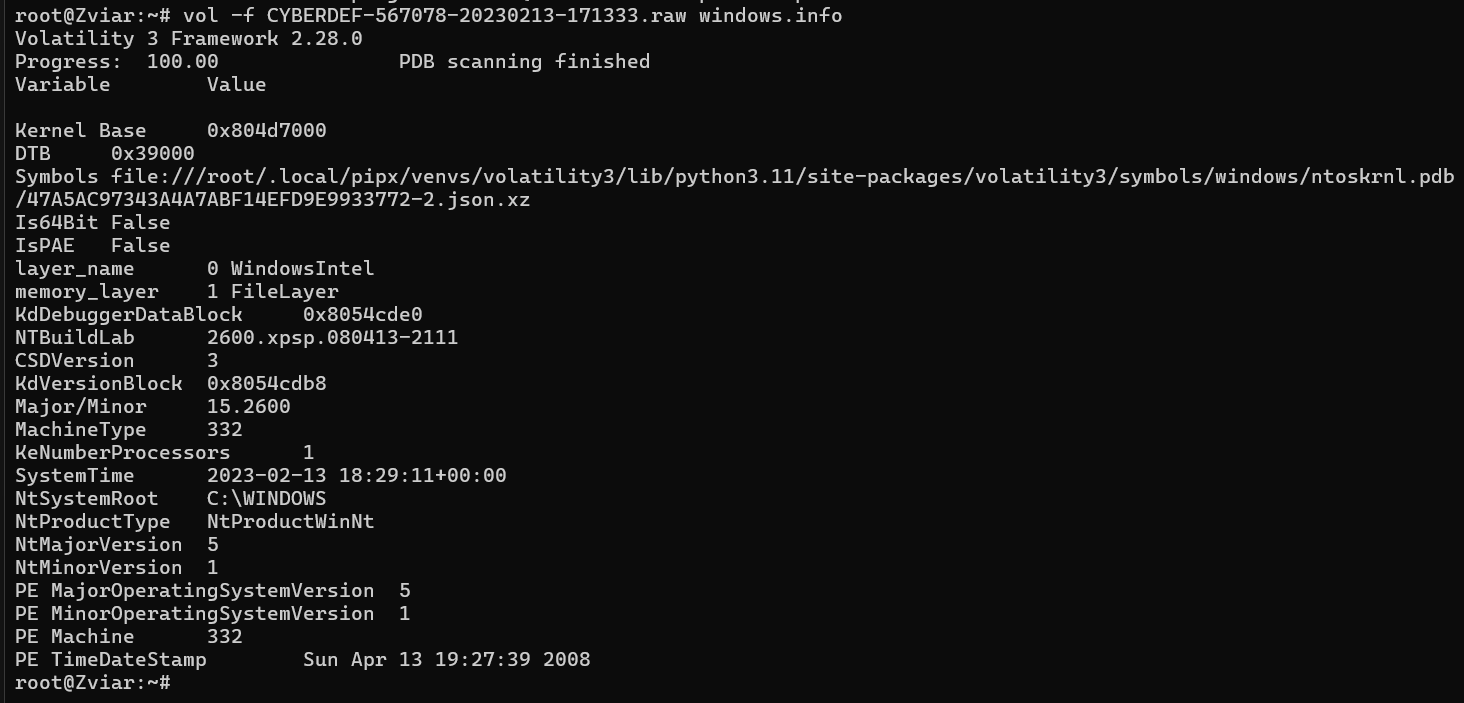
Combining the fields gives the profile:
NtMajorVersion 5-> Windows XPNTBuildLab 2600.xpsp-> build 2600CSDVersion 3-> Service Pack 3Is64Bit False-> x86 (32-bit)
So: Win + XP + SP3 + x86.
Answer: WinXPSP3x86
Q2. How many processes were running when the image was acquired?
Running pslist:
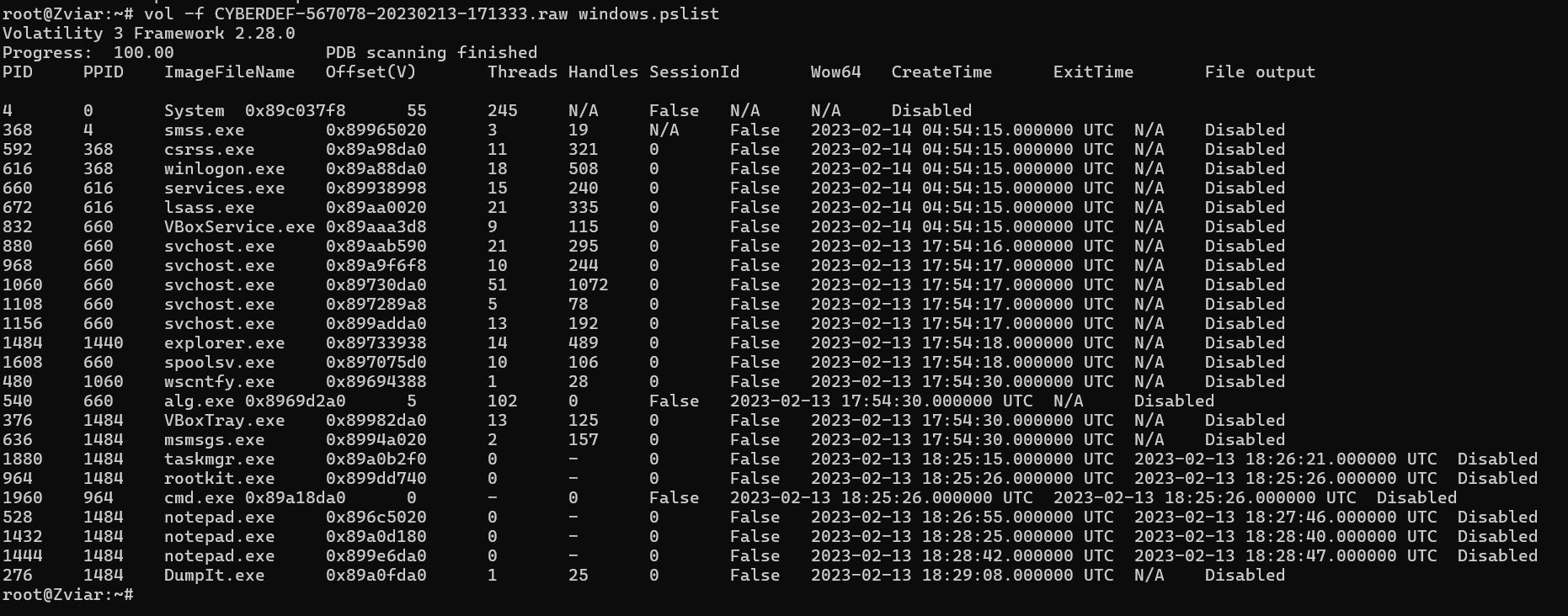
The list shows 25 entries, but 6 of them are already terminated (taskmgr.exe, rootkit.exe,
cmd.exe, and three notepad.exe). Counting only the active ones leaves 19.
Answer: 19
Q3. What is the process ID of cmd.exe?
From the same pslist output, the PID of cmd.exe is 1960.
Answer: 1960
Q4. What is the name of the most suspicious process?
pslist already surfaces a process named rootkit.exe, which is suspicious by its name alone.
Confirming with pstree:

It is a child of explorer.exe and itself spawns cmd.exe, which is not normal behaviour.
Answer: rootkit.exe
Q5. Which process shows the highest likelihood of code injection?
Using malfind to look for suspicious memory regions:
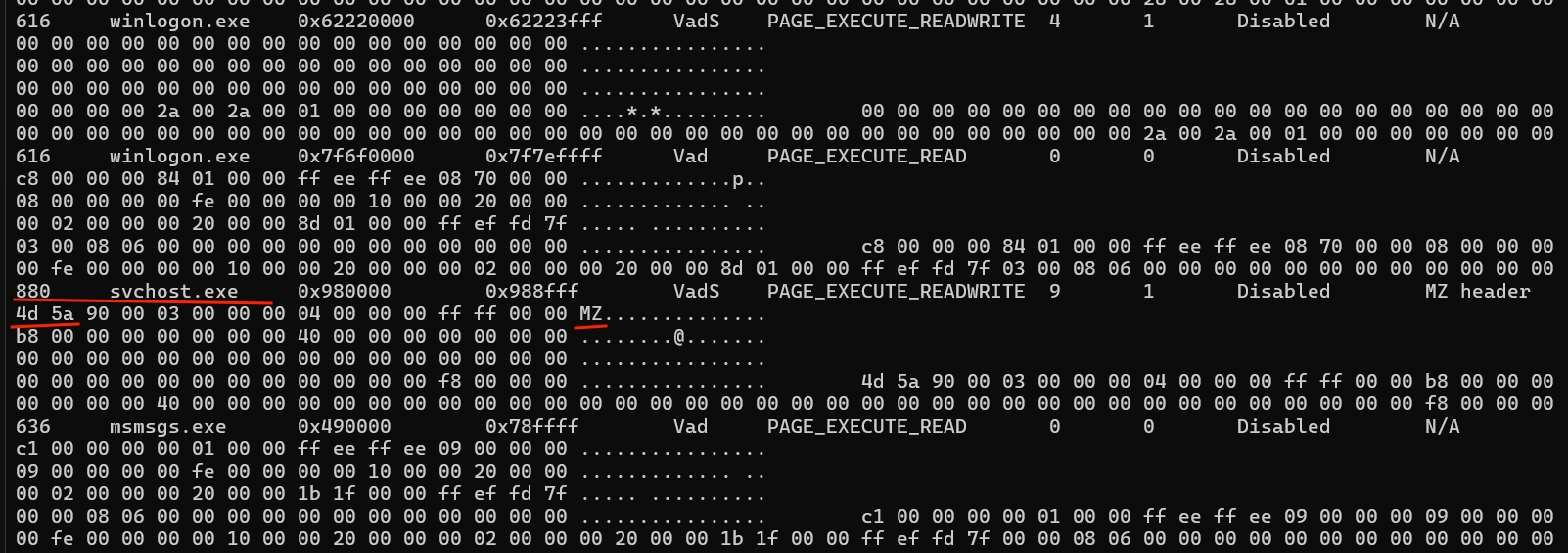
svchost.exe shows clear signs of injection: the region starts with the 4D 5A bytes (MZ in
ASCII), the header of a PE file, sitting in memory that should not contain an executable image.
Answer: svchost.exe
Q6. There is an odd file referenced in the suspicious process. Provide its full path.
Listing the file handles of the injected process (PID 880) with the handles plugin, filtered on
type File:
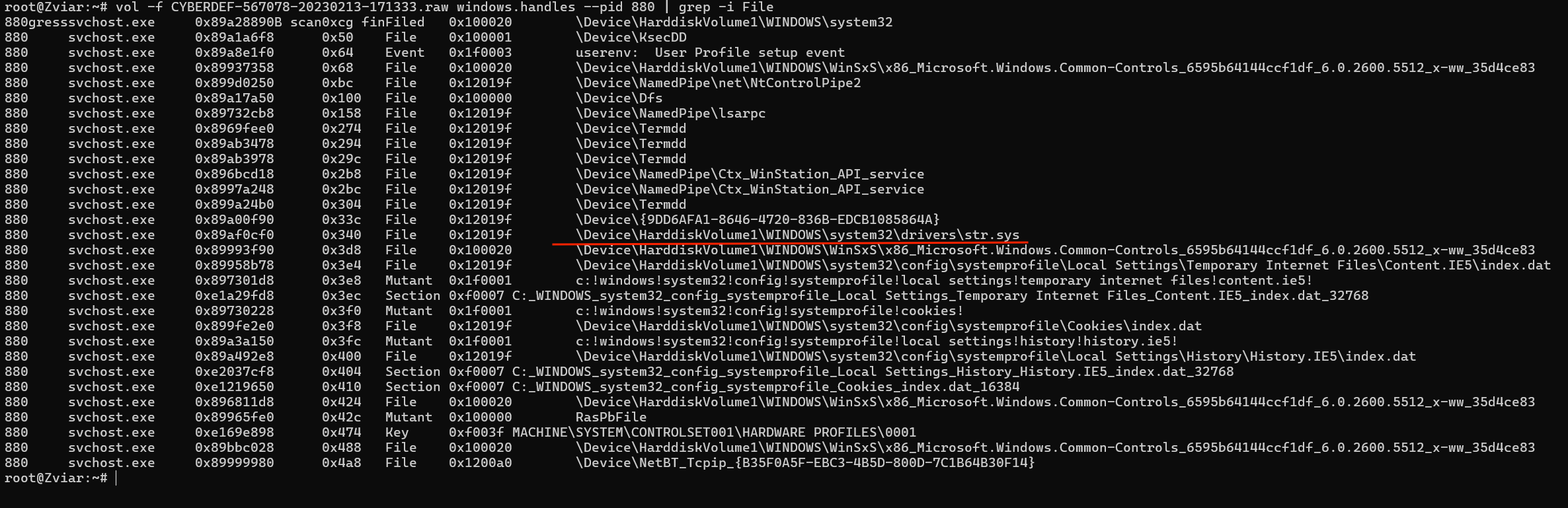
One entry stands out: str.sys, which is not a standard name for a system driver and points to
the rootkit’s kernel component.
Answer: C:\WINDOWS\system32\drivers\str.sys
Q7. What is the name of the injected DLL loaded from the process?
The ldrmodules plugin compares a process’s three module lists (InLoad, InInit, InMem). A DLL
missing from one or more of these lists is a classic sign of stealthy injection:
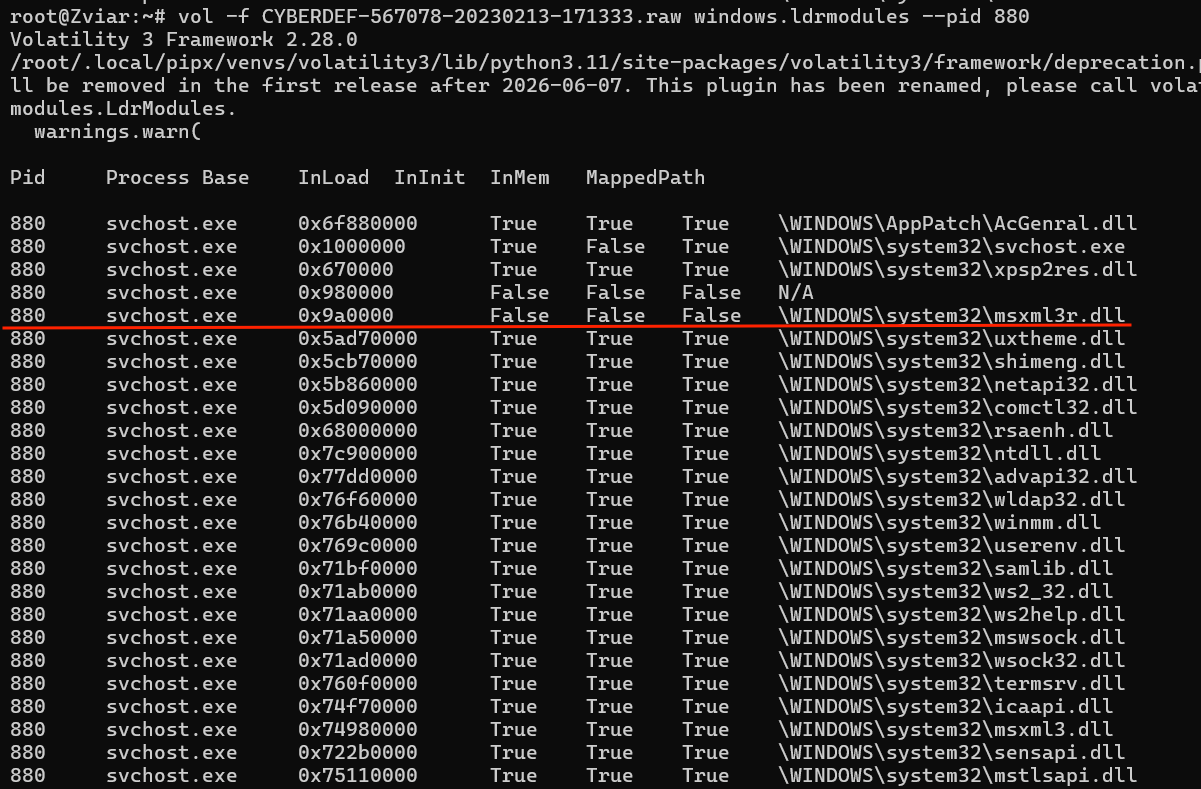
One module stands out: msxml3r.dll is marked False across the lists, meaning it is hidden from
the normal load order.
Answer: msxml3r.dll
Q8. What is the base address of the injected DLL?
Going back to the malfind output, the base address of the injected region is shown:

Answer: 0x980000
Indicators of compromise (IOC)
| Type | Value |
|---|---|
| Suspicious process | rootkit.exe |
| Injected process | svchost.exe (PID 880) |
| Malicious driver | str.sys |
| Injected / hidden DLL | msxml3r.dll (base 0x980000) |
| OS profile | WinXPSP3x86 |
MITRE ATT&CK mapping
| Tactic | Technique | ID |
|---|---|---|
| Defense Evasion | Process Injection | T1055 |
| Defense Evasion | Rootkit | T1014 |
| Execution | Command and Scripting Interpreter | T1059 |
References
- CyberDefenders — BlackEnergy challenge
- Volatility Foundation —
malfind,handles,ldrmodulesplugin documentation - MITRE ATT&CK — T1055 (Process Injection), T1014 (Rootkit)